0.28.x
0.28.2
- Released:
15.04.2026
✨ New Features
Pin project in VS Code views
A new
ubcode.views.pinnedProjectVS Code setting lets you lock all views (Needs Index, Diagnostics, Needs JSON, Std Domain, Needs graph) to a specificubproject.toml, so they no longer switch context when the active editor changes. Pin and Unpin buttons are available in the tree view toolbar and context menu. Path variables (${workspaceFolder},${userHome}, etc.) are also supported.
👌 Improvements
Improved diagnostic locations for needextend and link conditions
Validation diagnostics now include the source locations of
needextenddirectives that modified a need, in addition to the original need definition. Link condition diagnostics likewise show the location of the target need (and anyneedextendon it). This makes it much easier to trace the root cause of validation failures.Smarter configuration cache invalidation
The configuration cache now tracks modification times of external files referenced by
ubproject.toml(e.g. schema JSON files), not just the config file itself. Changes to those files now correctly trigger a re-index.More flexible MCP tool parameter names
The MCP server’s
query_needs_advancedandget_single_needtools now accept common aliases for their input fields (e.g.selectforfields,need_idforid), andsort_directionaccepts case-insensitive variants. This improves robustness when AI assistants call the MCP tools.
🐛 Fixes
Fixed
RuntimeError: Already borrowedcrashes in the language server, caused by concurrent LSP requests.
0.28.1
- Released:
01.04.2026
👌 Improvements
Natural sort order in the Needs Index tree view
The Needs Index tree view now sorts need IDs, group keys, and link types in natural sort order, so
REQ_2appears beforeREQ_10instead of after it. Link targets within each type are also deduplicated and naturally sorted.
🐛 Fixes
Fixed the
@ubcodechat participant losing conversation context (“amnesia”) when it invoked tools during a chat session.
0.28.0
- Released:
31.03.2026
✨ New Features
Chat participant
The new
@ubcodechat participant integrates with GitHub Copilot Chat to give you an AI assistant with deep knowledge of Sphinx-Needs and ubCode. Type@ubcodein the Copilot Chat panel followed by your question and the participant automatically fetches the most relevant documentation to generate a focused answer.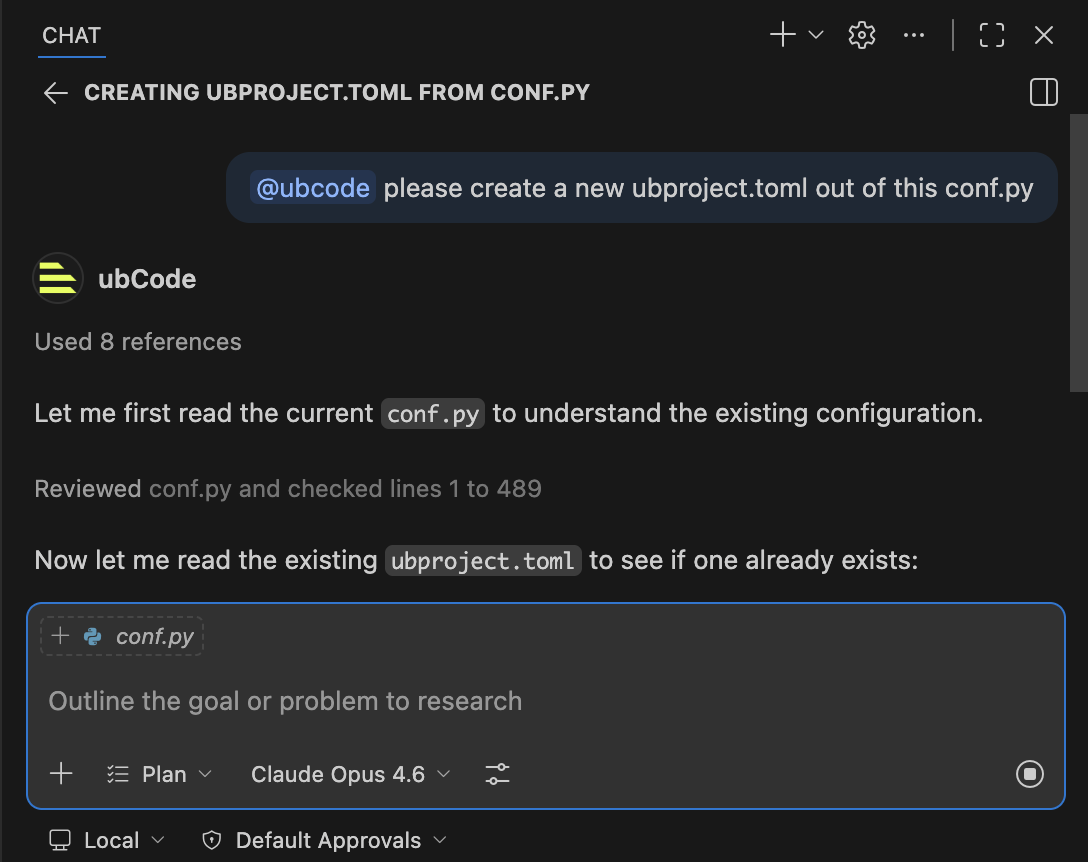
Example of the chat participant in action, called from the VS Code Chat panel.
For more information, see the chat participant documentation.